A Meadowood Mushroom by Todd Henson

A top down view of this beautiful mushroom along the edge of the trail.

I love photographing mushrooms and other fungi along the various trails I hike. There always seems to be something new to see, whether it’s a type of mushroom I’ve not yet photographed or just an interesting view of one. In the case of today’s post I’m not sure what species of mushroom this is, but I was drawn to it for how perfect it looked, and so close to the trail where people or dogs might easily and unknowingly crush it underfoot.

The first thing I noticed about it was how nice a circle the top created and how great it looked in the area of the forest floor it was growing on. So I stood over top and photographed it set against that forest floor, opening up the aperture enough to slightly blur the forest floor but leave it enough in focus to tell what’s what.

I love both the color and the various textures in this mushroom.

Then I got down on my stomach and tried to view what I could see of its underside. I loved the textures there, both on the stalk of the mushroom and on its underside, those interesting thin layers or ribs. This photo is actually a stitched panorama of two images. Looking back I should have gone a little lower to show where the mushroom was growing out of the ground.

Finally, I was so fascinated by those ribs under the top I got in really close with the macro lens and showed the edge of the top of the mushroom. We can see how the ribs are spaced along the underside. I decided to use an extremely shallow depth of field for this one.

It’s fun creating slightly more abstract views with closeups from nature.

I hope you’ve enjoyed this brief look at one mushroom I found along a trail at Meadowood Special Recreation Management Area in Virginia, a great little location full of mixed use trails for hiking, horseback riding, and mountain biking.


Do you enjoy these posts?

Sign up to receive periodic emails with updates and thoughts. Don’t worry, I won’t spam you. And please consider purchasing artwork or products from my online store, and using my affiliate links in the sidebar to the right when shopping online.

I appreciate your support!

Sketches Along the Creek by Todd Henson

A photographic sketch along the creek, exploring possibilities

Sometimes I find a new location and think it has some real photographic potential so I’ll look over the scene, consider angles and compositions, and begin making images. Of course I hope one of those images will end up being a winner, but I know that often they’ll just be sketch images helping me get a feel for the location. It can take many trips before I create an image I really like, one I can’t wait to show.

When I create these sketch images I’m trying to craft something great, so I do focus in on what I think might be a final image. But I also try to remember to zoom back out a bit, either with a zoom lens or with my feet, so I can capture some images of the larger scene. This can be immensely useful for planning out potential future shoots when I return to the location. I might have missed an angle in person that I notice in one of the photos. So next time I return I’ll have more of a plan than on the first trip.

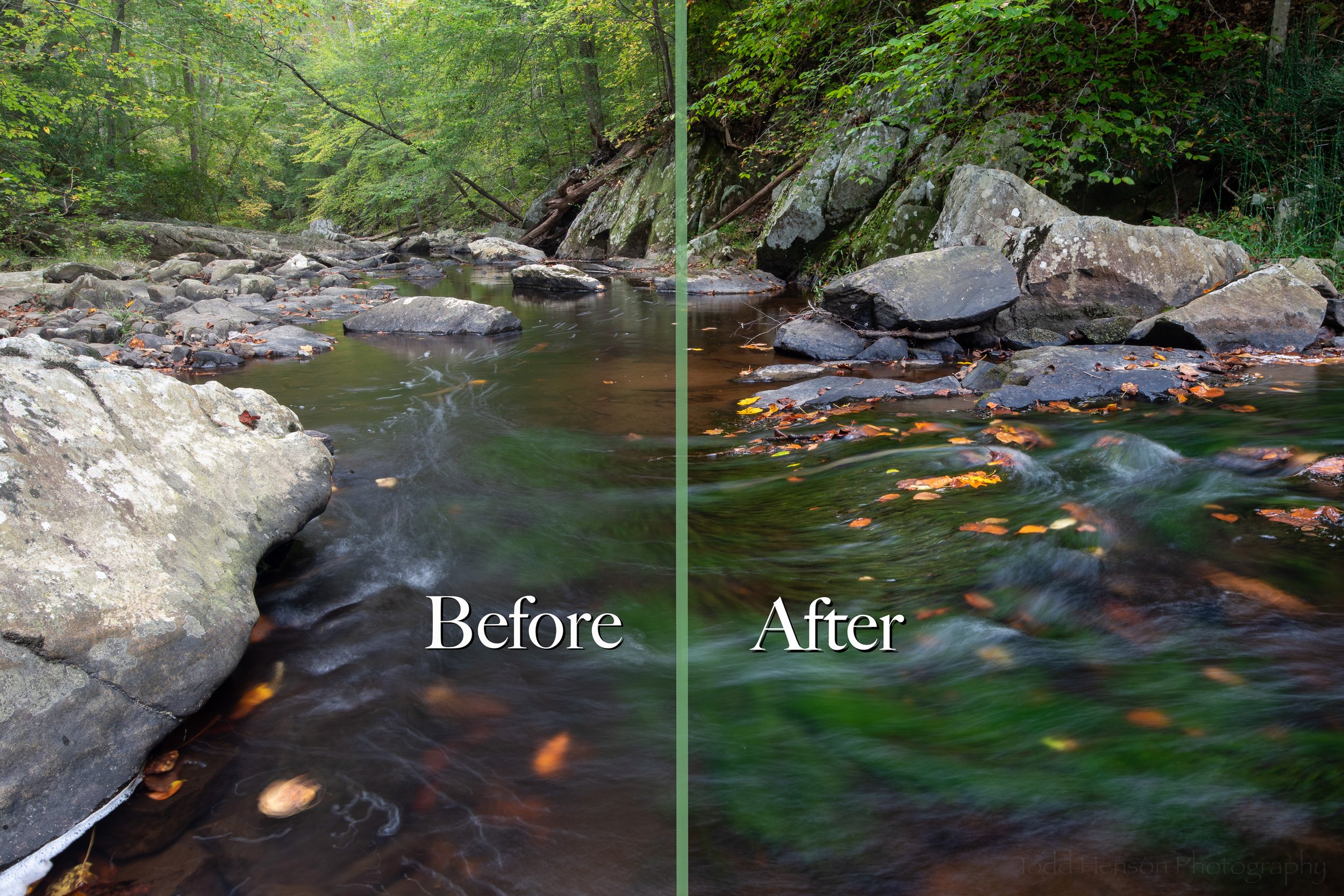
These two photos are examples of sketch images from my first visit to this little patch of waterfalls. We noticed the falls from way up top of the hill and saw a small footbridge across the creek just down from the falls. I walked all the way around the scene, hiking upstream just a bit and crossing the creek where it was shallow (not sure why I didn’t just cross at the bridge on the opposite end).

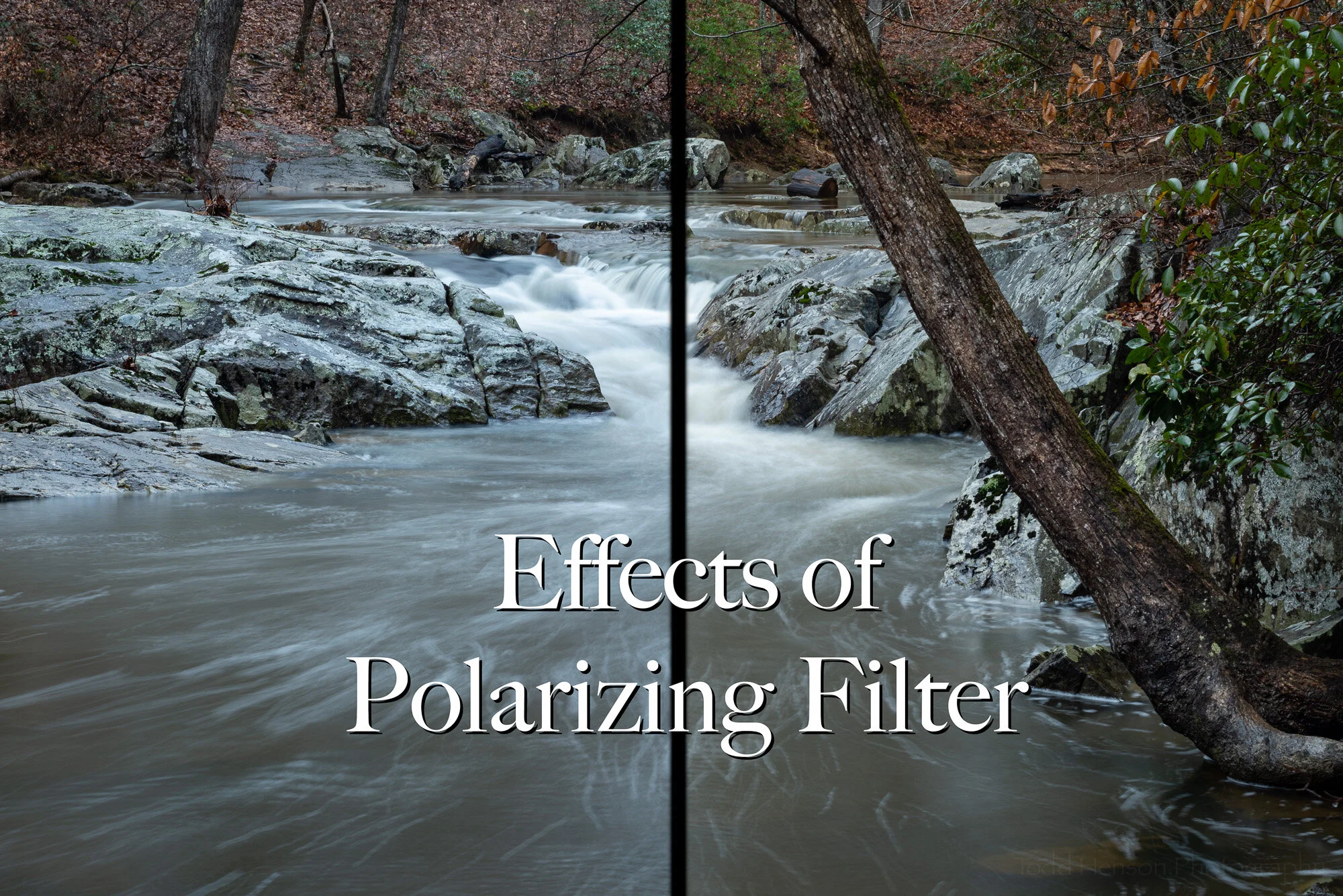
The upper group of falls seemed more interesting to me with the current water levels. And it was an interesting little pool the water emptied into before going over more rocks just below. I found an angle I thought might work and climbed down the small leaf-covered incline and setup the tripod on a grouping of rocks at the edge of the pool. For the first shot I wanted to capture that pool and the upper falls. I needed to zoom out as far as the lens could, to 16mm. And I used a polarizing filter to control reflections and to add some saturation. I found the fallen log on the lower-right corner a bit annoying at first and tried to block it out, but then decided to use it to frame in the pool. I’m reasonably happy with this shot. I feel like there’s more there, but I’ll have to return to look for it.

Stepping back I captured a wider view of the scene

After I created several versions of the tighter image I climbed back up and stepped back so I could capture the entirety of the sequence of waterfalls. You can see the small incline covered in leaves on the lower right where I slid down to the rock at the edge of the pool. Capturing this wider view let me record a little more of the scene which might help me find other places to stand, especially at times when the water level is higher. It’ll also be interesting to see how much of the debris stays put and how much gets swept away.

Ever since creating these images I’ve felt the pull to return to this location and further explore it. Perhaps the next trip will result in more sketch images. Or perhaps I’ll manage to create something I feel a little more strongly about. Only time will tell, but I can’t wait to find out.


Do you enjoy these posts?

Sign up to receive periodic emails with updates and thoughts. Don’t worry, I won’t spam you. And please consider purchasing artwork or products from my online store, and using my affiliate links in the sidebar to the right when shopping online.

I appreciate your support!


Before & After: Portrait of a Green Frog by Todd Henson

Before & After: Portrait of a Green Frog

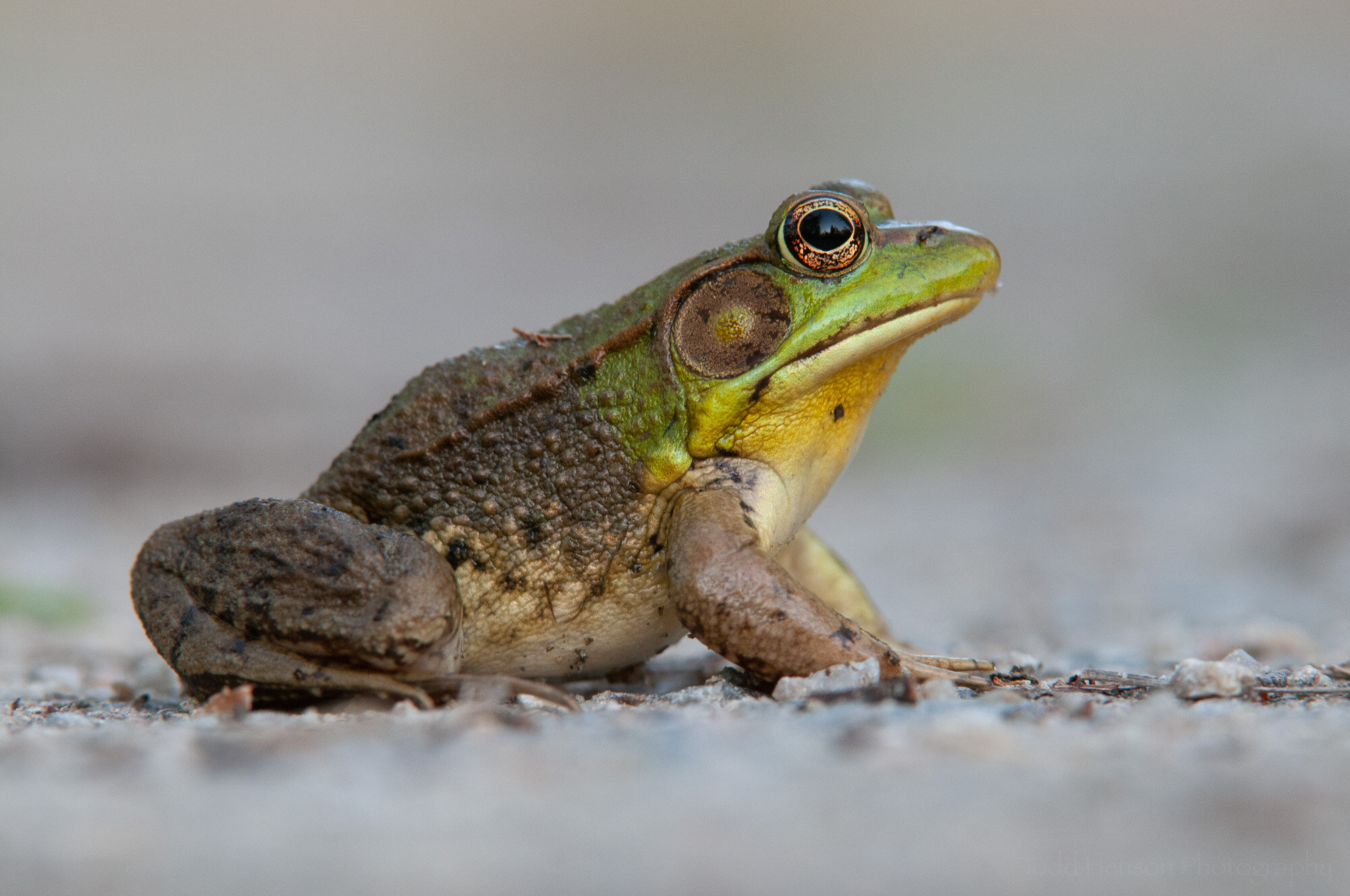
It’s time for another before & after session, where we look at an image as it came out of the camera and see what I did in post-production to arrive at the final image. When thinking about which photograph to use I realized I’ve yet to show a before & after for any form of wildlife, a subject I’m very fond of. So I picked an older photograph I’ve always liked, both for the image itself and for the experience I had creating it which you can read about in another post: Green Frog - The Story Behind the Image.

All of the post-production work for this photograph was done in Adobe Lightroom. And before we get into the processing steps, below is a capture of the image out of the camera showing the baseline settings, including white balance, before they were adjusted.

Before making any adjustments

Step 1: Basic Global Adjustments

Basic global adjustments

I usually work in the Basic tab first. These are global adjustments that affect the entire image. These days I tend to avoid some of the settings in the Basic tab, such as Texture and Clarity, and instead apply them using other tools such as an adjustment brush so they only apply to certain areas of the image. But when I processed this image I was still largely using the Basic tab.

You can see which settings I adjusted, tweaking the white balance just a touch, and increasing exposure and contrast just a bit. I adjust highlights, shadows, whites and blacks in most images (though sometimes only locally), and I adjusted all but highlights here. These settings help affect the contrast within the image, but also control how much detail we can see in darker or lighter areas. I also bumped up clarity a bit to increase contrast, something I still sometimes do, but these day I find myself using texture more often. And I bumped up the vibrance just a bit, which increases color saturation but only to the less saturated areas so it doesn’t go overboard.

Step 2: Adjustment Brush on the Eye

Adjustment brush on the gold ring of the eye

I wanted the viewer to be drawn to the frog’s eye, so here I used an adjustment brush to select the lighter golden ring of the eye and increased both the exposure to brighten it and the saturation to add a little bit of richness to that beautiful metallic gold. The image shows the selected area with a light red mask, which extends around the gold band of the eye.

Step 3: Graduated Filter at the Top

Graduated filter at the top of the image

One way to help guide the viewer’s eye toward a subject is to adjust the exposure in different areas causing some areas to get darker and others lighter. Here, if I lighten the background and then darken the top and bottom edges the eye will tend to move toward the darker subject at the center. Above, in the Basic tab, I’d increased the overall exposure a bit, so in this step I created a graduated filter at the top of the image, dropping the exposure to darken the top edge. Because it’s graduated it will begin darker at the very top and gradually lighten further below. You can see this in the red, which shows the masked area, how the red lightens as it approaches the frog.

Step 4: Graduated Filter at the Bottom

Graduated filter at the bottom of the image

And here we add a matching graduated filter at the bottom. Now we have a darker top and bottom and a lighter background that the frog stands out nicely against.

Step 5: Spot Removal on the Neck

Spot removal on the neck

This may seem a subtle thing, but the frog had a dark spot on its yellow neck, perhaps something stuck to the neck. It wasn’t a big deal but I kept getting distracted by it, so I decided to use the spot removal tool to remove that spot, or at least lighten it significantly such that my eye didn’t keep returning to it.

Step 6: Post-crop Vignette

Post-crop vignette to dry the eye inward

The last step was adding a post-crop vignette, something I often do to help keep the eye in the frame. This darkens the edges of the image. I’d already darkened the top and bottom, so this will darken those a big more but will also darken the sides and corners.

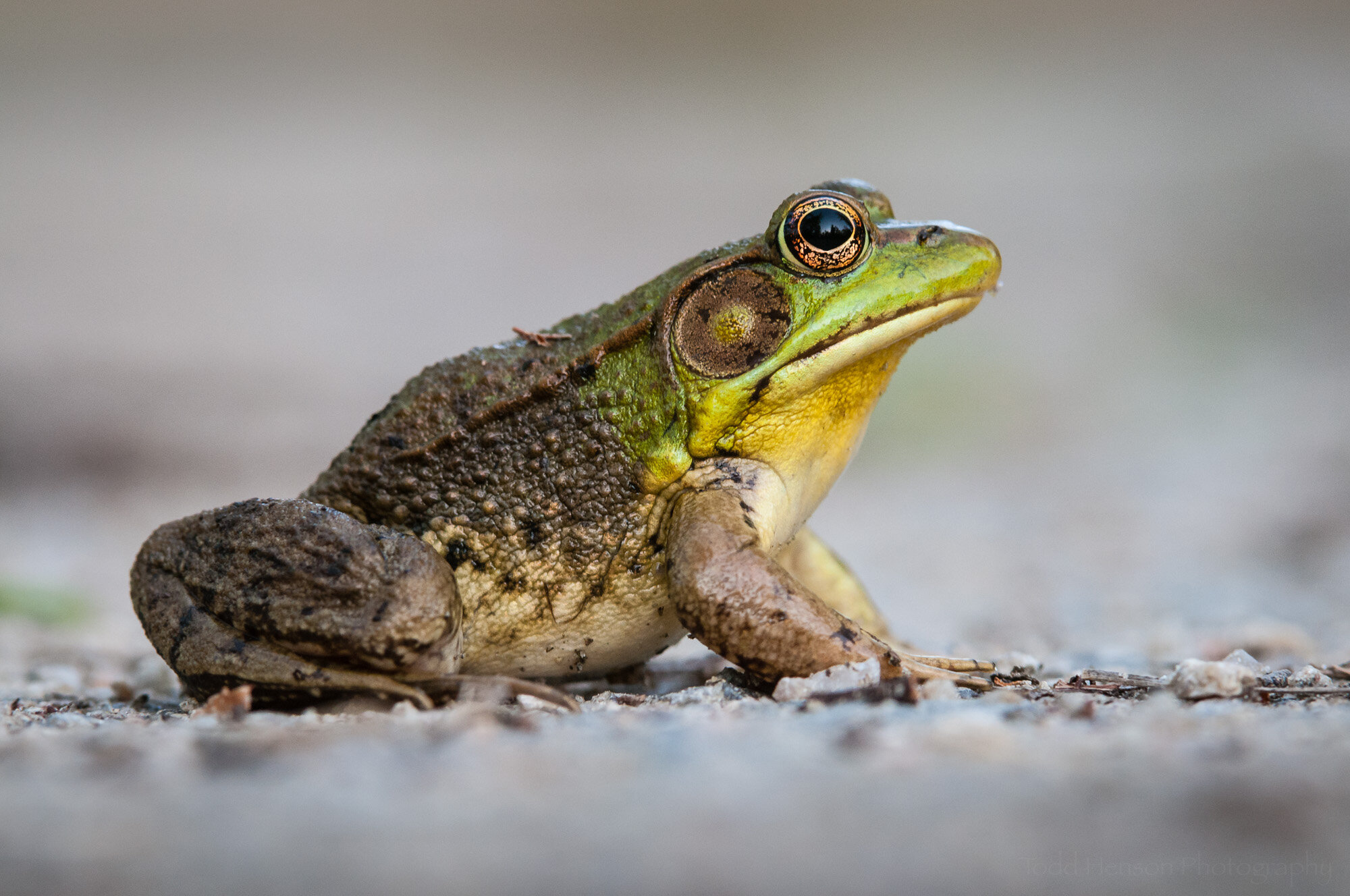
Final Image

Portrait of a Green Frog: Final Image

And that’s all there was to this image. Most of my wildlife images are fairly simple when it comes to editing. I want to show the wildlife as close as I can to how it really looked, but I’m also trying to create an aesthetically pleasing image. So there’s a balance I consider when processing. Raw files straight out of the camera tend to be a little dull, lacking in contrast and saturation, so they require a little processing to make the image look real. If you set your camera to create JPEG images you may not have to do these steps as the camera will make those decisions for you, but you’ll lose control over how it’s done. And after that there are also small things we can do to help bring attention to the subject and coax the viewer’s eye where we want it, such as the vignetting, graduated filters and exposure adjustments.

I hope you’ve enjoyed this look behind the scenes at how I processed this particular photo. Click on the image below to see a comparison of the before and after images. This will make it easier to see the changes.


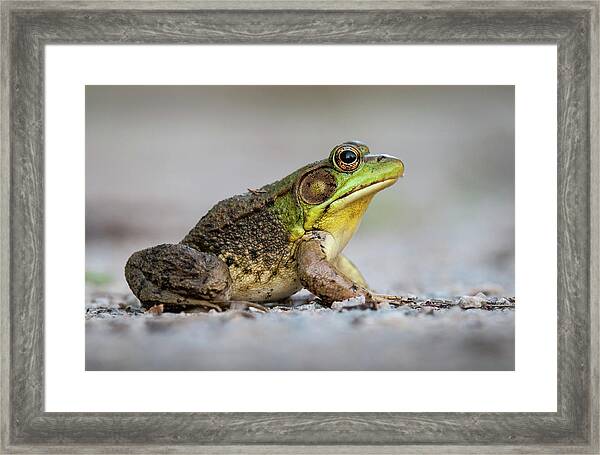
Portrait of a Green Frog is available for purchase as wall art or on a variety of products at my online store.

Photography Prints by Todd Henson


Do you enjoy these posts?

Sign up to receive periodic emails with updates and thoughts. Don’t worry, I won’t spam you. And please consider purchasing artwork or products from my online store, and using my affiliate links in the sidebar to the right when shopping online.

I appreciate your support!