Crossing Powell’s Creek by Todd Henson

Crossing Powell’s Creek

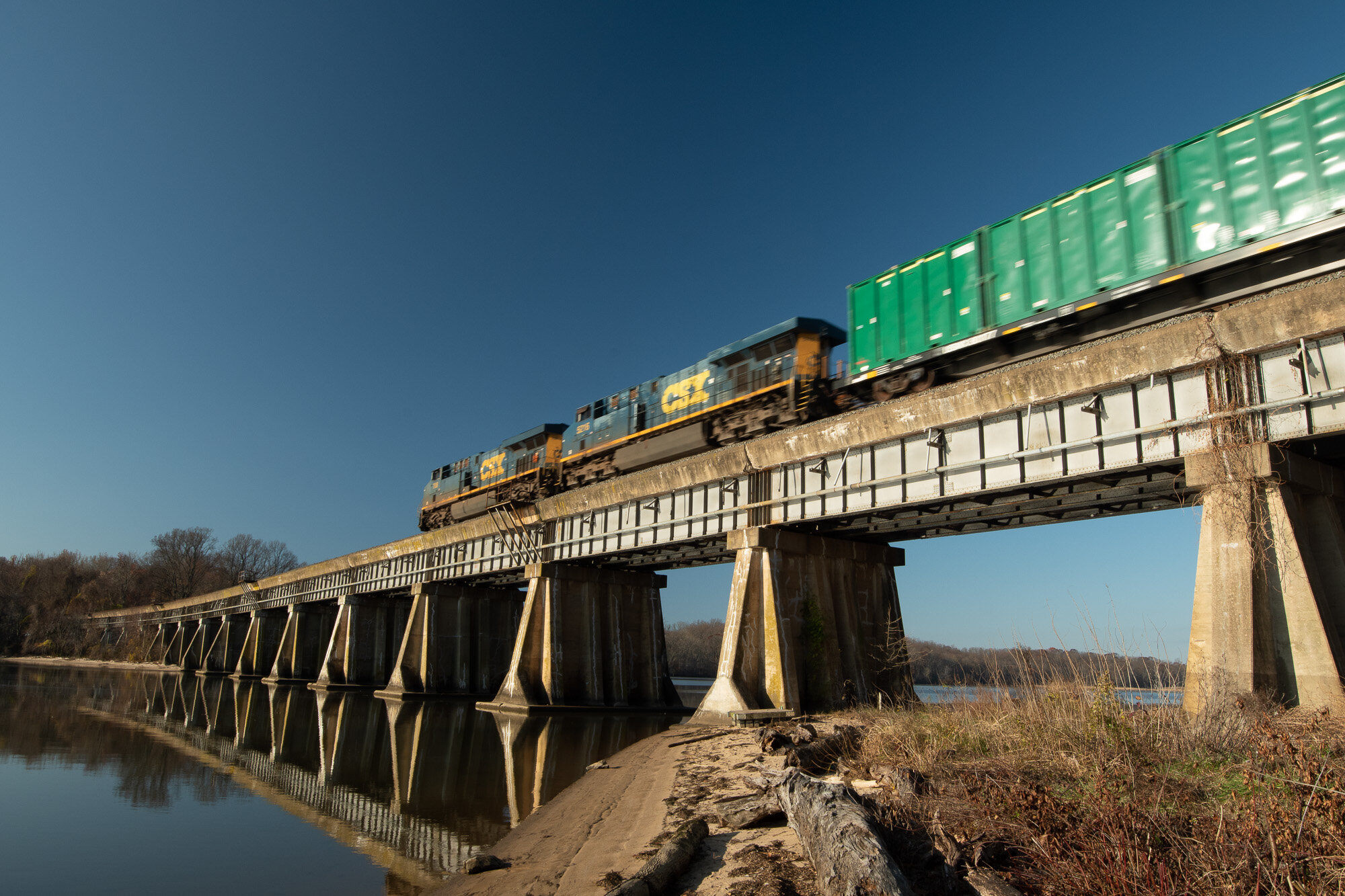
At the end of November I met my father in Leesylvania State Park to go for a morning hike. The park is crossed by a north-south railroad line and you can sometimes watch as trains traverse Powell’s Creek Crossing, a bridge over the creek. We had just passed under the bridge and were about to enter the woods when we heard the rumbling of an oncoming train. I didn’t think I’d get back to the bridge in time to photograph it but decided to try anyway. And as luck would have it I arrived in plenty of time to stand and photograph the train as it crossed the bridge. This ended up being a fairly long train pulled by two CSX locomotives.

The History

Powell’s Creek Crossing, a concrete deck railway bridge over Powell’s Creek

The history of this rail line stretches back to 1864, when they began constructing it, and in 1872 it opened for service. At the time it was a wooden trestle bridge, but in 1928 they replaced it with the current concrete deck bridge to allow for larger and faster trains. Previously the trains were limited to 20 miles per hour in this stretch due to the wooden trestles and curves in the line. So they straightened the curves and replaced the wooden trestles. Powell’s Creek Crossing was the last wooden trestle bridge on the line.

The Photograph

On this particular morning the sky was completely clear and the sun was shining from behind me, illuminating the bridge and the train as it crossed. I had on my wide angle zoom lens so I was able to photograph a large part of the bridge, showing a bit of the shoreline on each side. I often like showing a bit of motion blur with moving trains to show they are, in fact, moving. I didn’t have my tripod with me on this hike, but the train was moving fast enough that a shutter speed of 1/50 second was still enough to capture a small amount of blur while holding the camera steady enough to keep the bridge sharply in focus. And because I was using a wide angle lens and the train was moving away from me the front locomotive, which is further away from the camera, appears to have less motion blur than the car closest to us, which I also like.

The Processing

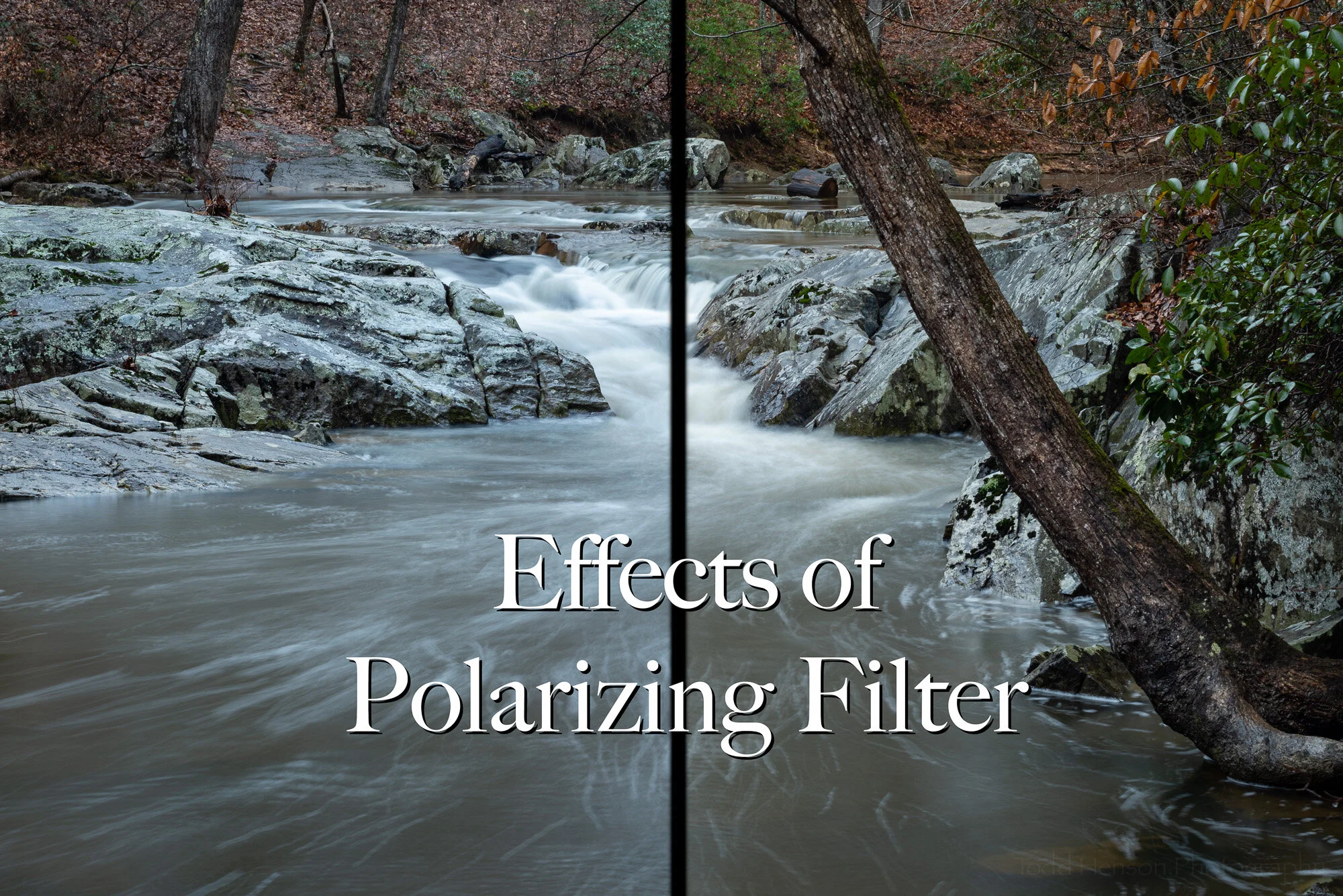
As I mentioned, it was a perfectly clear day, not a cloud in the sky, and it was still early enough to show a nice blue sky. I was hoping for a little punch to the photograph with contrast between the sky and the train so I had on a circular polarizing filter to darken the sky and make that blue even richer, as well as possibly reducing any reflections from the train. However, I made a very common mistake. I didn’t take into account the wide angle I was shooting at (16mm on a cropped sensor) and my angle from the sun. If you look at the original unprocessed color version below you can see the result of this mistake. Notice how the blue in the sky changes, very rich and dark in the central portion but getting progressively lighter on the left and right. Sometimes circular polarizing filters create this effect when shooting very wide angle. I won’t get into the technical details of why, but it’s something you should be aware of. Try it sometime if you have both a very wide angle lens and a circular polarizing filter. Change your angle to the sun and see how the tones in the sky change.

The unprocessed original color version of the photo

The color, itself, didn’t do much for me in this photograph so I decided to convert it to a monochromatic image. In Adobe Lightroom I converted it to black and white and did my typical post-processing. Then I added a split tone to give it just a touch of color, to warm it up a bit. This involved adding a yellowish tone to the highlights and an orangish tone to the shadows. I also corrected the sky tones caused by the polarizing filter, trying to create a more consistent tone in the sky that gradually lightened towards the horizon. I think this monochromatic treatment really helps the train and the bridge stand out.

Click on the image below to cycle between the final monochromatic and original color versions.
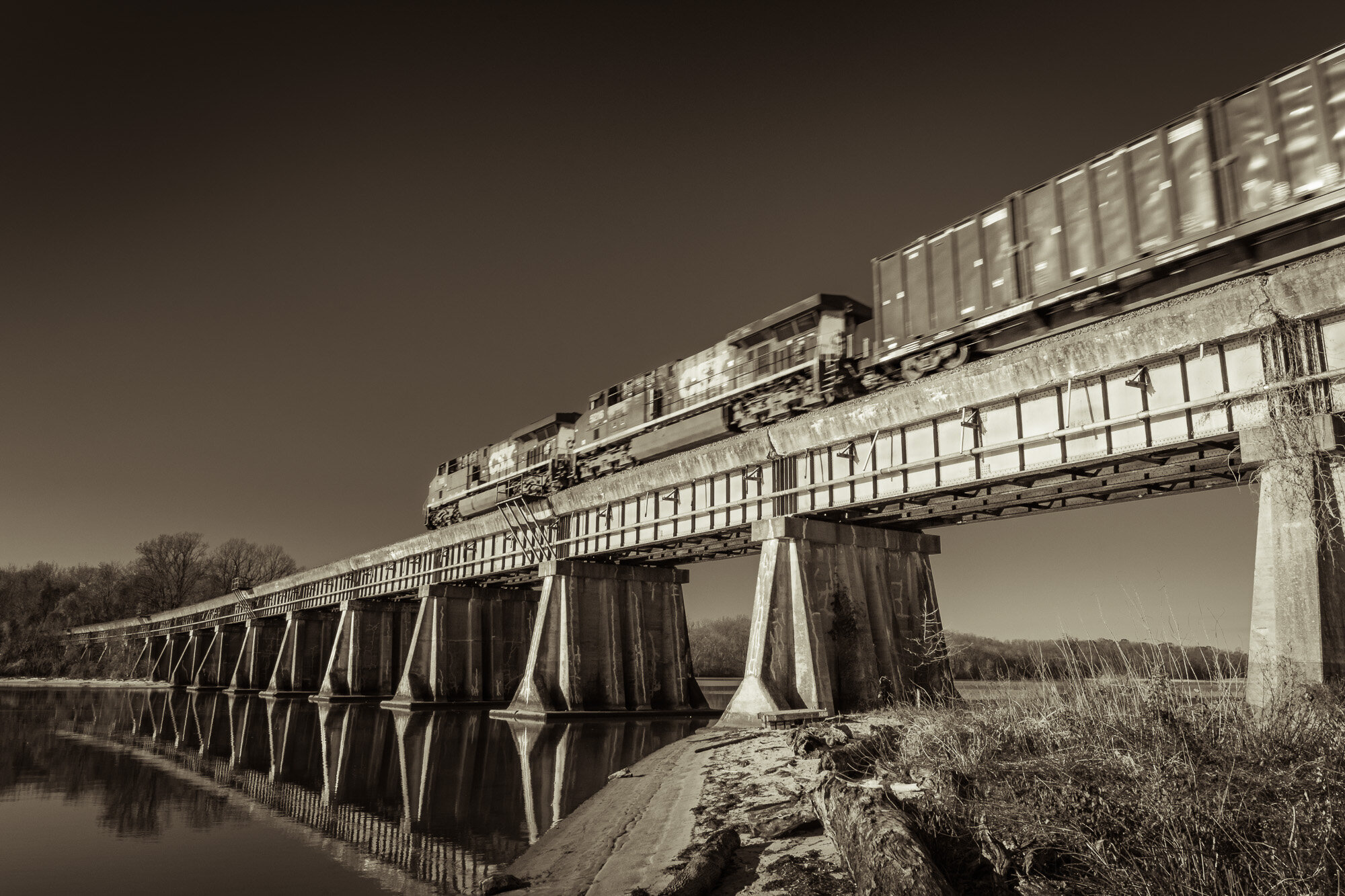
What do you think? Did the monochromatic treatment add something to the photograph? Or do you prefer the color version?


Do you enjoy these posts?

Sign up to receive periodic emails with updates and thoughts. Don’t worry, I won’t spam you. And please consider purchasing artwork or products from my online store, and using my affiliate links in the sidebar to the right when shopping online.

I appreciate your support!

Five Variations on a Theme - South Fork by Todd Henson

A couple weeks back I shared a photo of South Fork Quantico Creek. This week we’ll look at the same scene from a slightly different perspective. I moved onto a rock in the middle of the creek and looked downstream. I also experimented with a couple filters, creating different versions of the same image. Then when home I processed the images, combining some to create even more versions of the scene. Below are the results and some discussion of what I did to create each image.

South Fork - The Blue

South Fork - The Blue

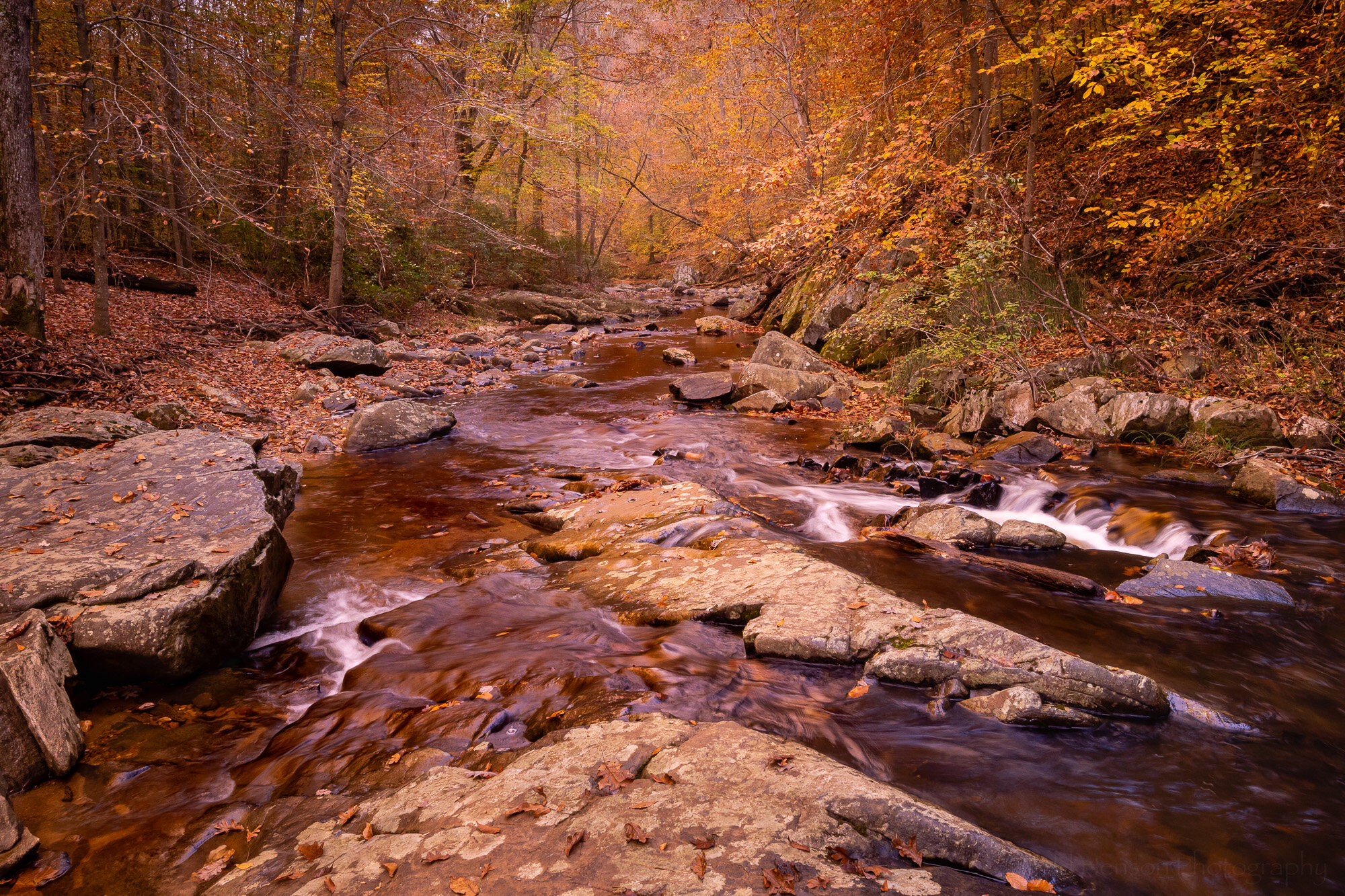
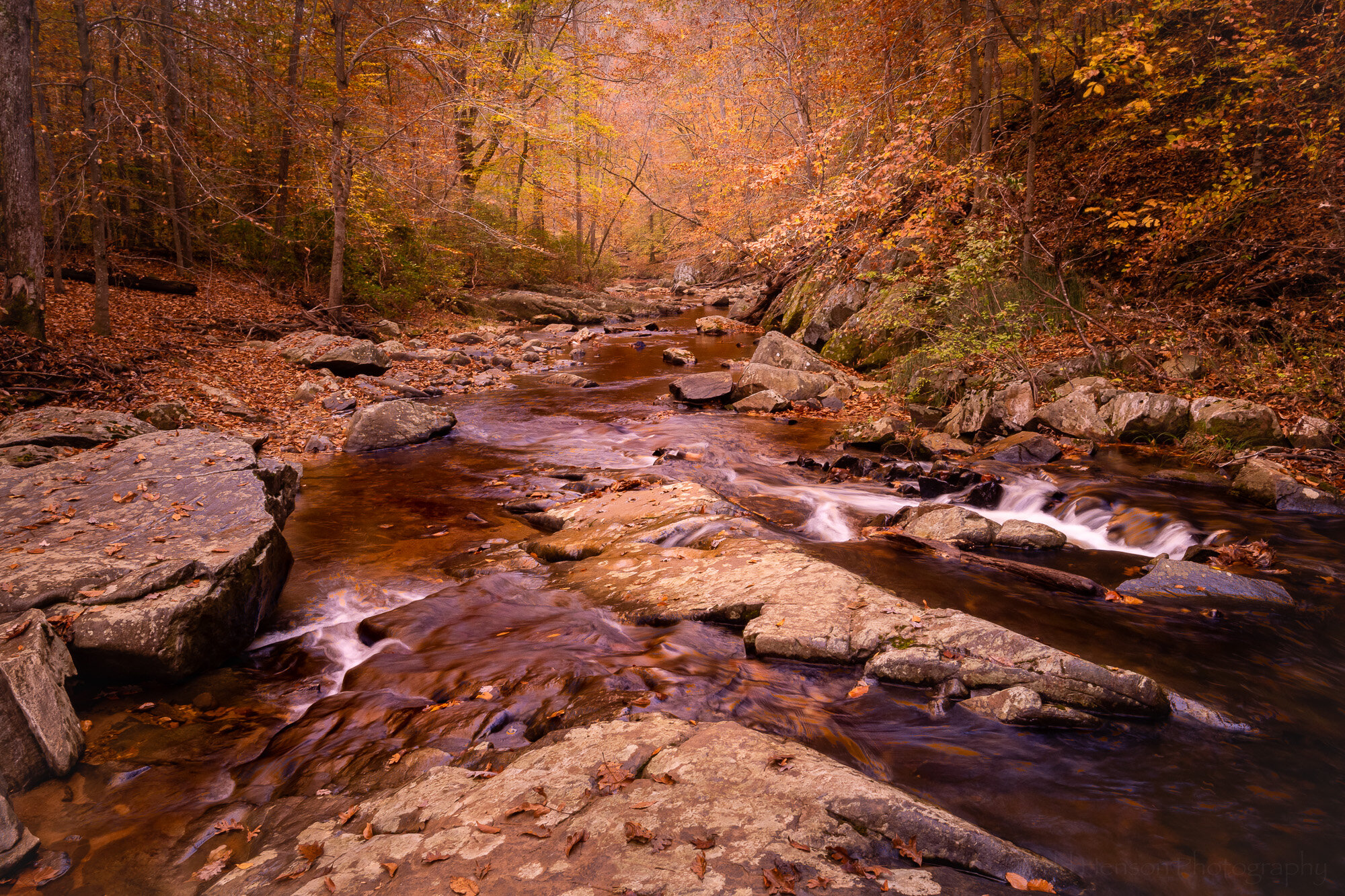
It was late October, many leaves having already fallen, with enough stragglers to give a yellow/orange/brown look to overhanging trees. As I sometimes do I wondered what the Singh-Ray Gold-n-Blue polarizing filter would do to the scene, so I put it on the lens and began turning, rotating between various shades of blue and gold. In this first iteration I opted for the bluer side of the filter, but only slightly blue. This might be the most natural looking of the photos here. To get an idea of what the colors in the scene looked like without this filter check out the previous post where I used a warming polarizing filter. It had more green in the scene.

South Fork - The Gold

South Fork - The Gold

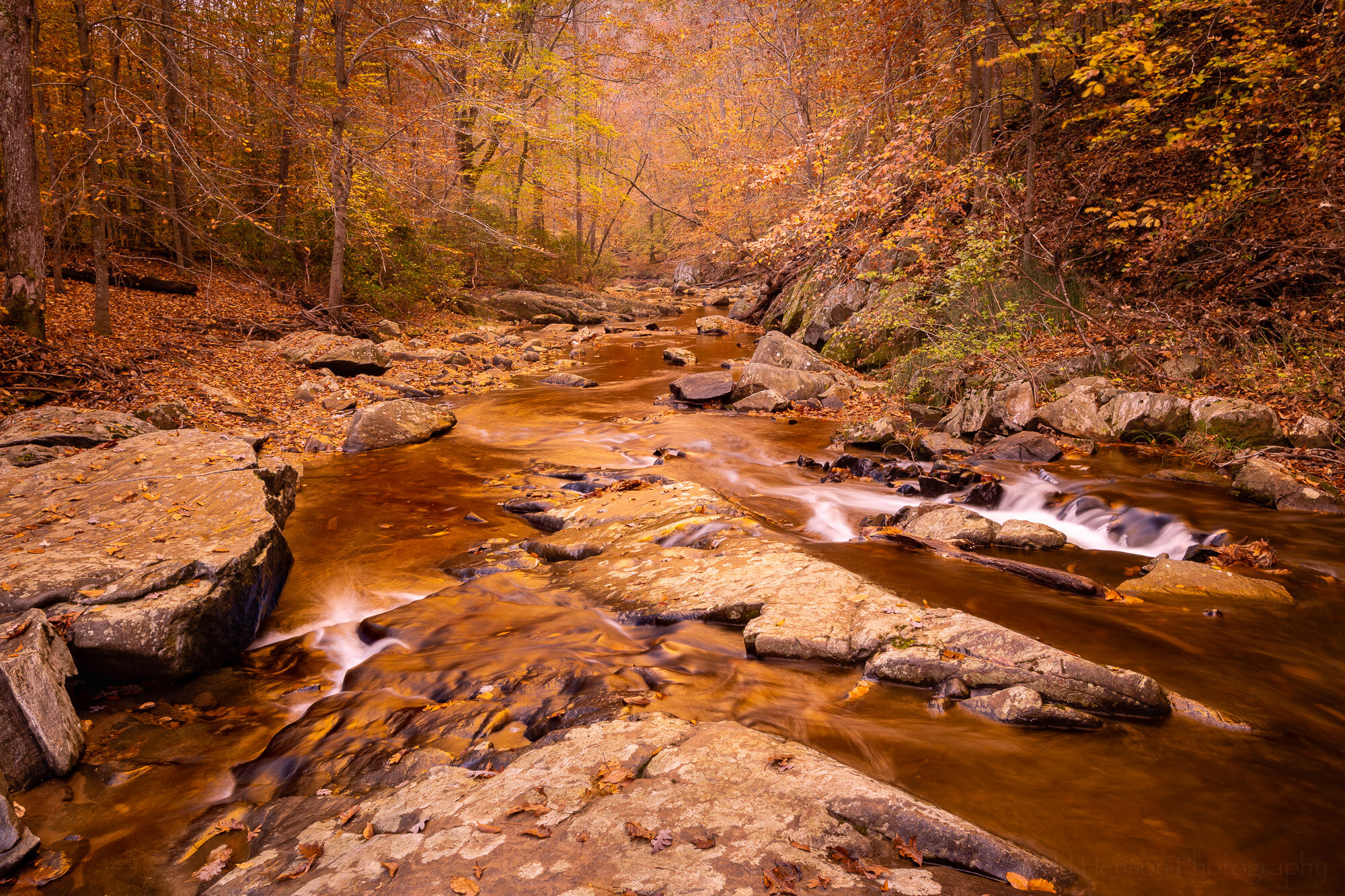
Then I turned the Gold-n-Blue polarizer towards the gold side. This seems to have a stronger effect on the colors in the scene. It adds a lot of warmth, perhaps shifting towards colors more common at sunrise or sunset.

South Fork - Combining The Blue & The Gold

South Fork - Combining The Blue & The Gold

When I compared the bluer version with the golder version I wondered how it would look if I combined the two, keeping the extra gold in the upper part with the trees and foliage, and using the bluer part for the lower half with the rocks and water. So I combined the two in Photoshop. I think I prefer this version over either of the other two. What do you think?

South Fork - Seeing Infrared

South Fork - Seeing Infrared

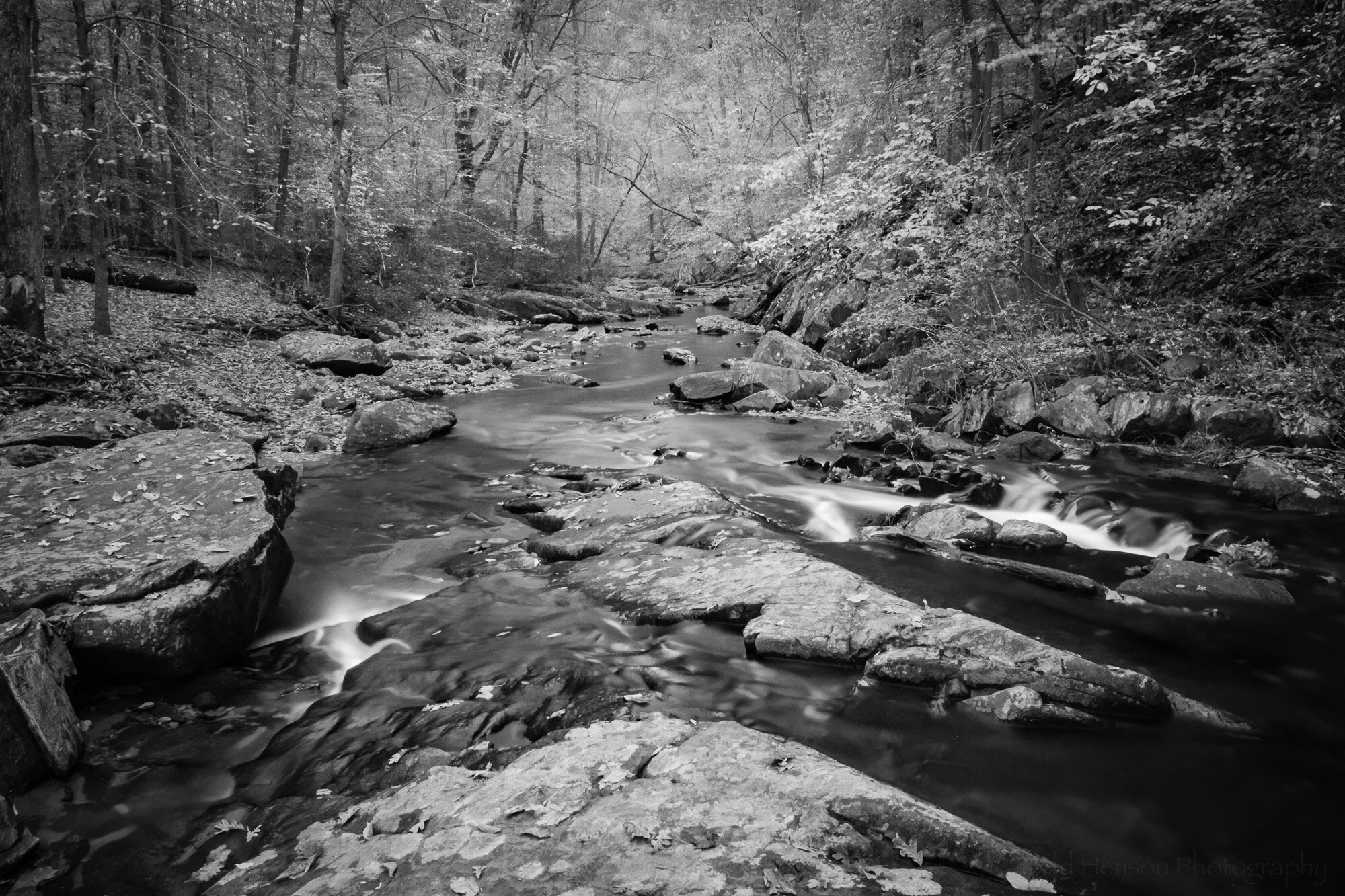
I also happened to have one of my infrared filters with me. This one is perhaps more of a near-infrared, the Singh-Ray I-Ray 690 filter. It lets in a slightly different set of frequencies than the full infrared filter, allowing for shorter exposure times on unconverted cameras but not quite giving as strong an IR effect. In this case the exposure time was 42 seconds. When home I converted the image to black and white in Lightroom.

South Fork - The Works (or Through the Woods Darkly)

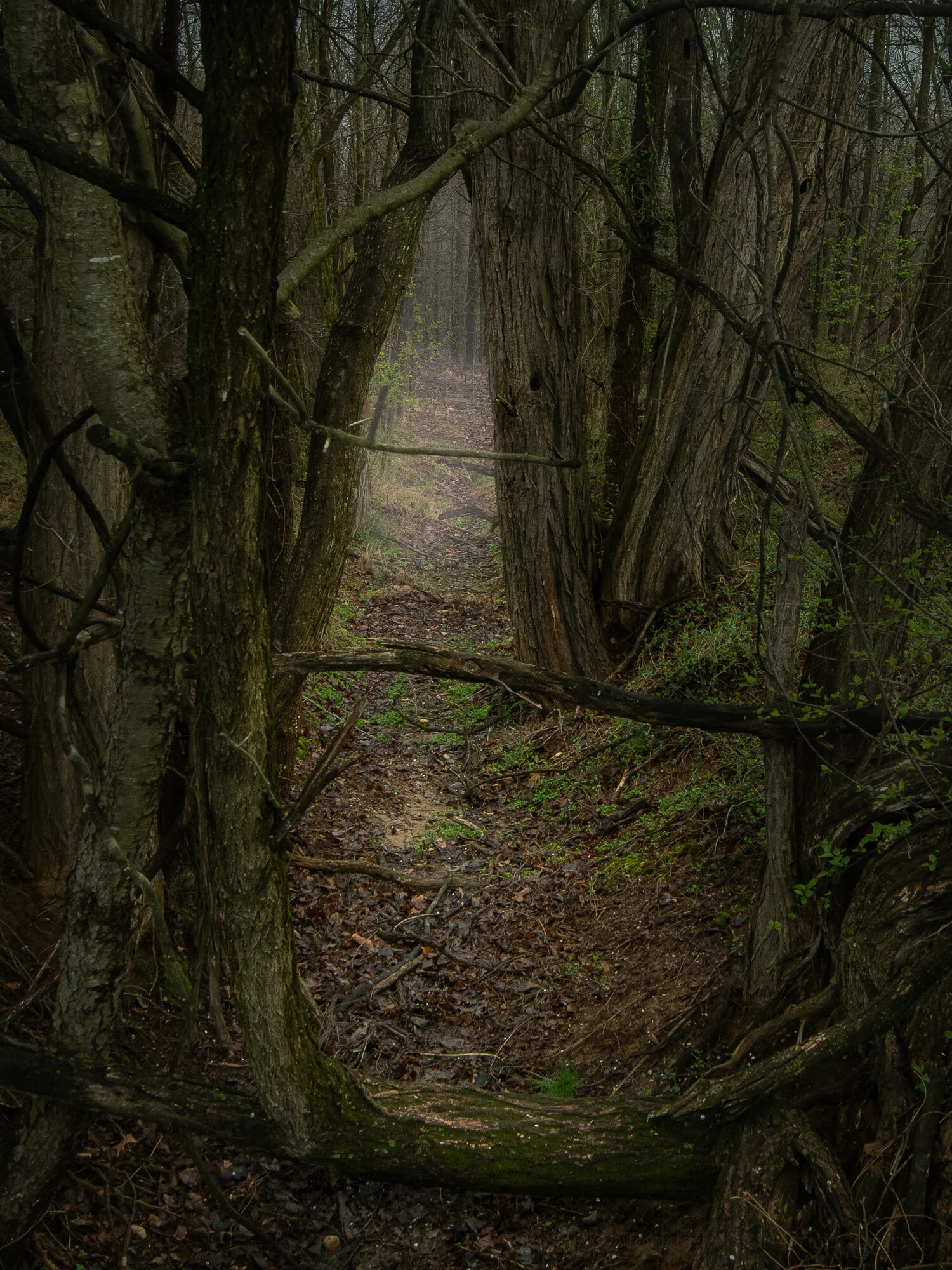
South Fork - The Works (or Through the Woods Darkly)

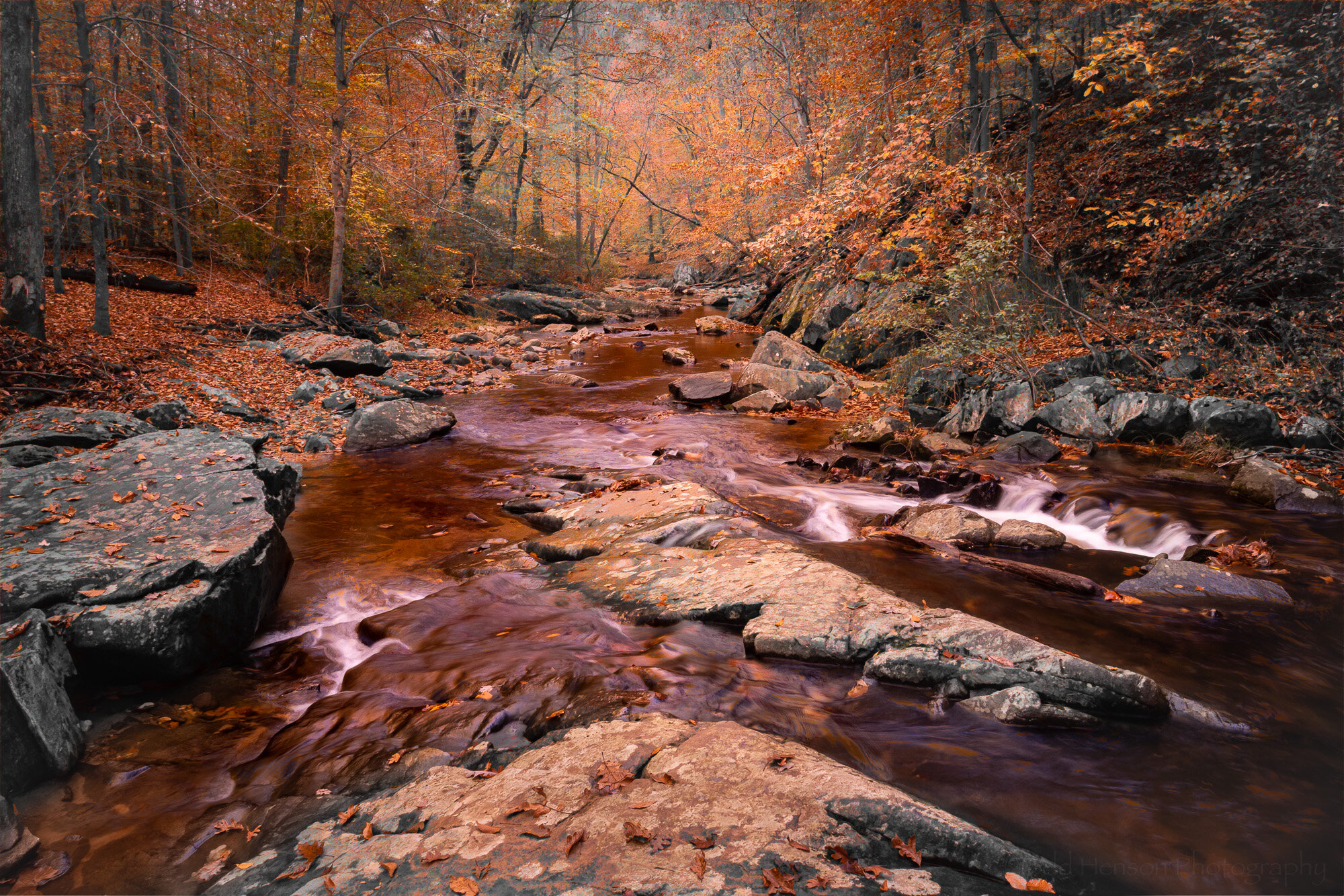
Finally, I had the idea to combine the black and white infrared image with the composite blue and gold image above. I’ve only done this once before so I was curious what other look I could create. I took the time to experiment a bit in Photoshop, trying options I’ve rarely used, and in this case ended up combining them using the Darken Color blending mode.

Interestingly, this image is vastly different from the other where I tried combining infrared and color. With that one I used the Singh-Ray I-Ray 830 filter, which is the full infrared filter, so it provided that nice glowing fuzzy feel. I painted that infrared look onto the color image where I really saturated the colors to fill out the glow, giving a brighter dream-like feel.

In this one I went for a slightly darker look. Perhaps this was that patch of creepy woods you’ve sometimes driven past but never had the nerve to stop and explore. But now that you have, though creeped out, you still see some beauty in the scene. But having seen the general darkness and the almost reddish tones to the water you’re nervous about what else might be out here with you…

Final Thoughts

Well, I hope you’ve enjoyed this little exploration of the possibilities of a scene. I suppose this is similar to the 10x10 exercise I mentioned a short while back, except that here I created different versions both in the field and at home and decided to only create 5 versions instead of 10. Perhaps one day I’ll go back and create 5 more.

Below you can cycle through each image to better compare them:

Do you have a favorite of those I created? Any thoughts on any of them, good or bad?


Do you enjoy these posts?

Sign up to receive periodic emails with updates and thoughts. Don’t worry, I won’t spam you. And please consider purchasing artwork or products from my online store, and using my affiliate links in the sidebar to the right when shopping online.

I appreciate your support!


Feasting on Fungus by Todd Henson

Feasting on Fungus, a caterpillar stretches between a log and a mushroom

Well, it’s almost Thanksgiving here in the US. Granted, Thanksgiving this year might be very different for some of us than in years past. But the thought of all that feasting brought to mind this scene I stumbled across while hiking some trails in mid-October: a gluttonous caterpillar stretched between a log and a mushroom growing on the log. I couldn’t help but laugh at the sight.

I hope you enjoy this light-hearted set of images. And if you celebrate Thanksgiving I hope you have a safe and enjoyable one.

Is this Sisyphus pushing the boulder uphill? Or is it Atlas holding up the celestial heavens?


Do you enjoy these posts?

Sign up to receive periodic emails with updates and thoughts. Don’t worry, I won’t spam you. And please consider purchasing artwork or products from my online store, and using my affiliate links in the sidebar to the right when shopping online.

I appreciate your support!